
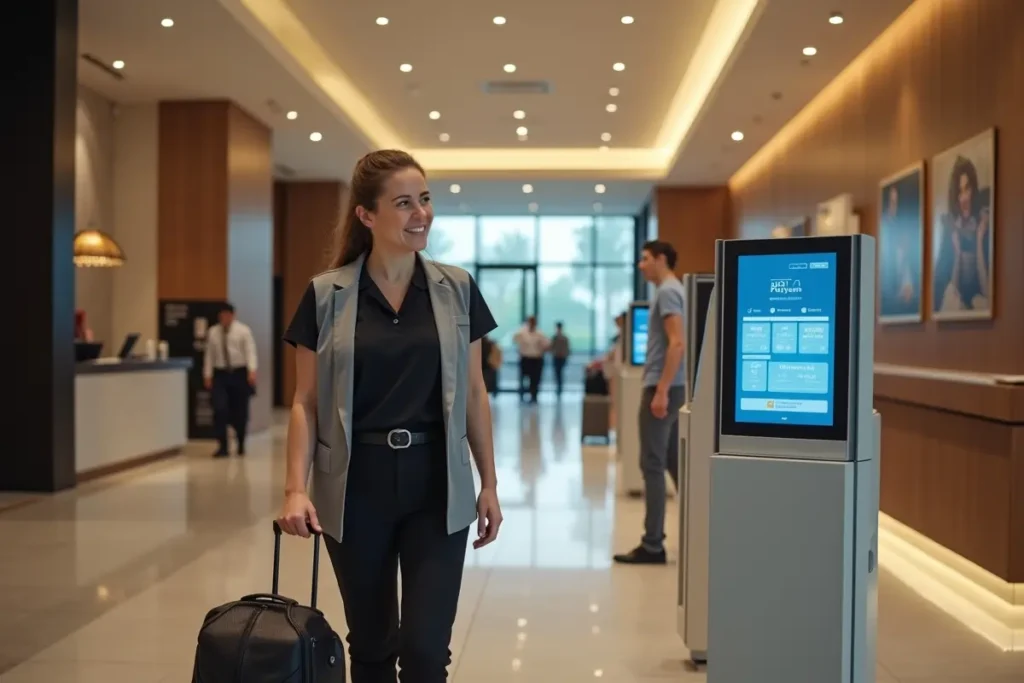
Designing Faster, Friendlier Self-Service Journeys for Hotels and Quick-Service Restaurants
Self-service works best when it removes a routine obstacle for a guest. A traveler who arrives late may want to complete check-in quickly, while a lunch customer may want to place a familiar order without waiting in a long line. Businesses evaluating the best hotel kiosks should begin with real guest needs, not with a list of devices or features.
The goal is not to eliminate hospitality. It is to make simple tasks clearer, faster, and less stressful while keeping knowledgeable employees available for situations that require personal attention. A well-designed journey gives guests control, explains what is happening, and makes help easy to find.
Why Self-Service Needs Better Design
Guests generally appreciate a process that respects their time and gives them clear choices. However, moving a task from an employee to a screen is not automatically an improvement. If the process requires repeated information requests, hides fees, or offers no way to correct an error, it merely shifts the work to the guest. Good design removes friction and preserves a welcoming experience.
Map the Guest Journey First
Before choosing hardware or software, map the entire interaction from the guest’s perspective. Include arrival or table selection, service or menu choices, identity confirmation, payment, pickup or room access, and any need for changes or assistance.
For example, a late-arriving hotel guest may need parking guidance, a reservation lookup, payment confirmation, room access, and elevator directions. A busy restaurant guest may need to browse, customize an item, review allergens, pay, and find the pickup point. Mapping each step exposes unclear handoffs, repeated questions, and points where staff support is most valuable.
Design Smoother Hotel Arrivals
Hotel arrival tools should be easy to spot and simple to understand. Use direct labels such as “Start Check-In” and “Get Room Access,” show progress through the process, and explain deposits, identification checks, payment, and key delivery before the final confirmation.
- Place tools where guests can find them without searching.
- Let guests correct a mistake without restarting the entire process.
- Use plain language rather than internal hotel terminology.
- Provide a visible route to the front desk for help.
Design for tired travelers, families handling luggage, guests arriving after hours, and people with different language needs. The fastest path should never be the only path.
Simplify Restaurant Ordering
Digital ordering can make peak periods more manageable when menus are organized around familiar categories, and guests can review their choices before payment. Show item prices, applicable charges, customization options, ingredient details, and clear pickup or table-delivery instructions.
A regular customer may want a rapid reorder, while a family may need time to compare ingredients and modify meals. Both need control, but their journeys may require different levels of detail. Keep the main flow short while making important information easy to access.
Keep Human Support Close
Strong self-service programs pair independence with nearby assistance. Add a clearly labeled “Need Help?” option, train employees to notice hesitation or abandoned sessions, and give them tools to assist without forcing a guest to start over. Maintain a staffed alternative for people who prefer it or need help with refunds, accommodations, or unusual requests.
Build for Accessibility
Accessibility belongs in planning, testing, and daily operations, not at the end of a launch. The ADA Accessibility Standards address accessibility requirements for many public accommodations and commercial facilities, so operators should consider physical placement alongside the digital experience.
- Use readable text, strong contrast, and screens positioned to reduce glare.
- Provide adequate room for wheelchairs, luggage, strollers, and service animals.
- Consider audio guidance, headphone support, language choices, and clear instructions.
- Test with people who have different abilities, ages, languages, and comfort levels with technology.
Protect Data and Payments
Guests should understand what information is collected, why it is needed, who can access it, and how long it is retained. Short, readable privacy notices are more useful than dense language placed at the end of a transaction. The Federal Trade Commission’s privacy and security guidance for businesses emphasizes collecting only the information needed, protecting it, and disposing of it securely.
Plan for payment failures, network interruptions, software updates, and clear staff procedures when a transaction cannot be completed. An outage plan protects both the guest experience and daily operations.
Connect Daily Systems
The guest-facing screen is only one part of the service process. Hotel tools need dependable links to property management, payment, room access, housekeeping, maintenance, and guest support workflows. Restaurant ordering needs current connections to point-of-sale, kitchen display, inventory, menu, pricing, and pickup systems.
Current information matters. A system should not accept an order for an unavailable item, assign an unavailable room, or promise a pickup time that the operation cannot meet.
Measure the Right Results
Track more than transaction volume. Useful measures include average wait time, completion time, abandoned sessions, payment errors, order corrections, staff-help requests, guest feedback, repeat use, employee workload, and accessibility-related issues. A faster process is not successful if it creates incorrect orders, confusion, or extra work later.
Use a Small Pilot Before Expansion
- Choose one measurable problem, such as peak ordering delays or late-night arrivals.
- Document the existing process, including common questions and points of error.
- Build the simplest workable path and remove unnecessary fields.
- Test with staff, first-time users, frequent guests, and people with accessibility needs.
- Run the pilot during quiet and busy periods, then improve it before expanding.
Common Mistakes to Avoid
- Adding technology before identifying the guest problem.
- Removing every staffed option.
- Hiding fees, wait times, or next steps.
- Using too many screens or required fields.
- Ignoring language, accessibility, outage, and payment-error planning.
- Measuring use without checking accuracy and satisfaction.
Conclusion
Good self-service does not remove people from hospitality. It makes routine tasks easier while keeping human help within reach. Hotels and quick-service restaurants that start with real guest problems, connect supporting systems, test with diverse users, and improve based on measurable feedback can create journeys that feel faster, calmer, and more dependable.